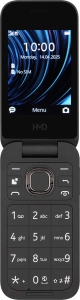
1 Find "Access points"
Press the Navigation key.

Select the settings icon.

Select Connectivity.

Select Access points.

2 Create new data connection
Press the Right selection key.

Select New access point.

Select Name.

Key in Vodafone MMS and press the Navigation key.

3 Enter APN
Select Access point.

Key in mms.vodafone.net and press the Navigation key.

4 Select authentication type
Select Auth type.

Select Pap.

5 Enter IP address
Select Gateway.

Key in 10.24.59.200 and press the Navigation key.

6 Enter port number
Select Port.

Key in 80 and press the Navigation key.

7 Enter picture messaging server
Select Set homepage.

Key in http://www.vodafone.ie/mms and press the Navigation key.

8 Select connection type
Select Advanced settings.

Select Network type.

Select HTTP.

9 Save data connection
Press the Left selection key.

10 Return to the home screen
Press Disconnect to return to the home screen.

11 Find "SIM MMS access point"
Press the Navigation key.

Select the settings icon.

Select System.

Select Messages.

Select MMS.

Select SIM MMS access point.

12 Active data connection
Select the required data connection.

13 Return to the home screen
Press Disconnect to return to the home screen.


