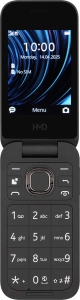
1 Find "Access points"
Press the Navigation key.

Select the settings icon.

Select Connectivity.

Select Access points.

2 Create new data connection
Press the Left selection key.

Select New access point.

Select Name.

Key in Vodafone Internet and press the Navigation key.

3 Enter APN
Select Access point.

Key in live.vodafone.com and press the Navigation key.

4 Select authentication type
Select Auth type.

Select Pap.

5 Enter port number
Select Port.

Key in 80 and press the Navigation key.

6 Select connection type
Select Advanced settings.

Select Network type.

Select HTTP.

7 Save data connection
Press the Left selection key.

Select the data connection to activate it.

8 Return to the home screen
Press Disconnect to return to the home screen.


