HMD 2660 Flip - Troubleshooting - I can't receive any calls (Cause 1 of 4) | Vodafone Ireland
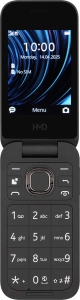
HMD 2660 Flip

HMD 2660 Flip

I can't make voice calls on my HMD 2660 Flip Proprietary OS

Cause 1 of 4: Missed calls are diverted too fast

Your missed calls are diverted after a specified number of seconds. If your calls are diverted too fast, you need to select a longer period of time.

Solution: Set divert delay.

Step 1 of 12

Find "Call options"

Press the Navigation key.

Step 2 of 12

Find "Call options"

Select the settings icon.

Step 3 of 12

Find "Call options"

Select System.

Step 4 of 12

Find "Call options"

Select Call settings.

Step 5 of 12

Find "Call options"

Select Call forwarding.

Step 6 of 12

Find "Call options"

Select Call options.

Step 7 of 12

Divert calls to voicemail

Select the required divert type.

Step 8 of 12

Divert calls to voicemail

Select SIM options.

Step 9 of 12

Divert calls to voicemail

Select From SIM.

Step 10 of 12

Divert calls to voicemail

Key in (prefix) 5 (your phone number) and press the Navigation key.

Step 11 of 12

Divert calls to voicemail

If you divert missed calls, you need to select a delay for the divert. Select the required delay.

Step 12 of 12

Return to the home screen

Press Disconnect to return to the home screen.

1 Find "Call options"

Press the Navigation key.
Select the settings icon.
Select System.
Select Call settings.
Select Call forwarding.
Select Call options.

2 Divert calls to voicemail

Select the required divert type.
Select SIM options.
Select From SIM.
Key in (prefix) 5 (your phone number) and press the Navigation key.
If you divert missed calls, you need to select a delay for the divert. Select the required delay.

3 Return to the home screen

Press Disconnect to return to the home screen.

Did this solve the problem?

Yes - All solved No - Go to next cause

Get information on...

Or select...

Another device
4g accessories icon-app-store basket-change battery-life battery bill-pay-phones-icon 4C91DB73-75FE-4565-8F69-BC6C675B1EA1 bin block Brands broadband-icon broadband calendar call camera cases Chat chevron-down chevron-left chevron-right chevron-up close close collections€€ community continuous contract dashboard data download-square Download edit error-circle eye facebook filters folder go identity Less letters location Memory menu message mobile my-vodafone network_signal operating-system orders payg-phones-icon F86C85F6-FFFF-4C62-8F9A-45D7251FC836 payment photos play-store play plus rating report return roaming screen-size search secure-net shopping sim spinner squares technology tick-simple top-up top-up TV twitter value vf-tv-icon vodafone warning Weight world
Close dialog
Skip to content

Login to My Vodafone

Close dialog
Skip to content

Register with My Vodafone