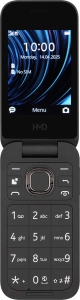
1. Find "SIM settings"
Press the Navigation key.

Select the settings icon.

Select Connectivity.

Select Dual SIM.

Select SIM settings.

2. Turn use of PIN on or off
Select the name of the SIM.

Select PIN code request to turn the function on or off.

Key in your PIN and press the Navigation key.
If an incorrect PIN is entered three times in a row, your SIM will be blocked. To unblock your SIM, you'll need to key in your PUK. The PUK can be obtained by contacting customer services. Please note: If you key in the wrong PUK ten times in a row, your SIM will be blocked permanently. In this case, you need a new SIM from Vodafone.

3. Return to the home screen
Press Disconnect to return to the home screen.


