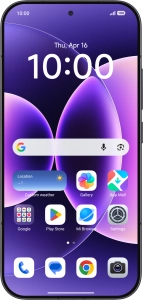
1. Enter your PIN
Press the Side key.

If your SIM is locked, key in your PIN and press the confirm icon.
If an incorrect PIN is entered three times in a row, your SIM will be blocked. To unblock your SIM, you'll need to key in your PUK. The PUK can be obtained by contacting customer services. Please note: If you key in the wrong PUK ten times in a row, your SIM will be blocked permanently. In this case, you need a new SIM from Vodafone.

2. Select language
Press arrow right.

Press the required language.

Press Next.

3. Select country or region
Press the required country or area.

Press Next.

4. Accept the terms and conditions
Press the field to accept the terms and conditions.

Press Next.

5. Set up your phone as a new phone
Press Skip.
You can also transfer content from another phone or restore the content of a Google One backup.

6. Select Wi-Fi network
Press the required Wi-Fi network.

Key in the password for the Wi-Fi network and press Connect.
If there are no available Wi-Fi networks, you can use the mobile network instead.

Press Next.

Press For myself.

7. Finish activation
Follow the instructions on the screen to finish the activation.
If you've backed up content previously, you can restore the content of a Google One backup.


