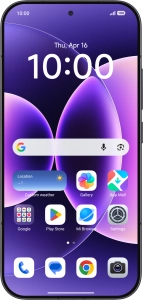
1. Find "Mobile networks"
Press Settings.

Press Mobile networks.

2. Turn use of price plan on or off
Press the required price plan.

Press the indicator next to "Turn on" to turn use of the price plan on or off.

If you turn off use of the price plan, press OK.
You can only turn off the price plan if it has not been selected as the default price plan.

Press arrow left.

3. Select default price plan for voice calls
Press the required setting below "Default for calls".

4. Select default price plan for mobile data
Press the required price plan below "Data SIM".

5. Return to the home screen
Slide your finger upwards starting from the bottom of the screen to return to the home screen.


