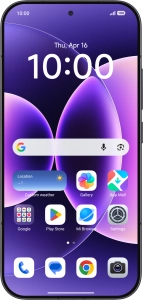
1. Find "Reset Wi-Fi, mobile networks, and Bluetooth"
Press Settings.

Press More connectivity options.

Press Reset Wi-Fi, mobile networks, and Bluetooth.

2. Reset network settings
Press Reset settings.
Please note that all saved APN, Wi-Fi and Bluetooth connections and passwords, you've created, are deleted.

Press OK.
Please note that all saved APN, Wi-Fi and Bluetooth connections and passwords, you've created, are deleted.

3. Return to the home screen
Slide your finger upwards starting from the bottom of the screen to return to the home screen.


