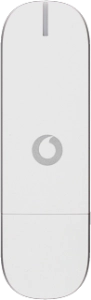
Vodafone Ultra low stick K3771 / Windows 7
Help and Support for

Vodafone Ultra low stick K3771 / Windows 7

Choose a help topic

The PIN protects your SIM from unauthorised use. When use of PIN is turned on, you need to key in your PIN every time the data card application starts. Follow these instructions to turn use of PIN on or off.
If you have an active internet connection, it needs to be ended. Click here for information on how to end an internet connection.
4g accessories icon-app-store basket-change battery-life battery bill-pay-phones-icon 4C91DB73-75FE-4565-8F69-BC6C675B1EA1 bin block Brands broadband-icon broadband calendar call camera cases Chat chevron-down chevron-left chevron-right chevron-up close close collections € € community continuous contract dashboard data download-square Download edit error-circle eye facebook filters folder go identity Less letters location Memory menu message mobile my-vodafone network_signal operating-system orders payg-phones-icon F86C85F6-FFFF-4C62-8F9A-45D7251FC836 payment photos play-store play plus rating report return roaming screen-size search secure-net shopping sim spinner squares technology tick-simple top-up top-up TV twitter value vf-tv-icon vodafone warning Weight world
Close dialog
Skip to content

Login to My Vodafone

Close dialog
Skip to content

Register with My Vodafone